



SEDDAS Business Portal Password Reset
If you have forgotten your password or your password has expired you can reset your password.
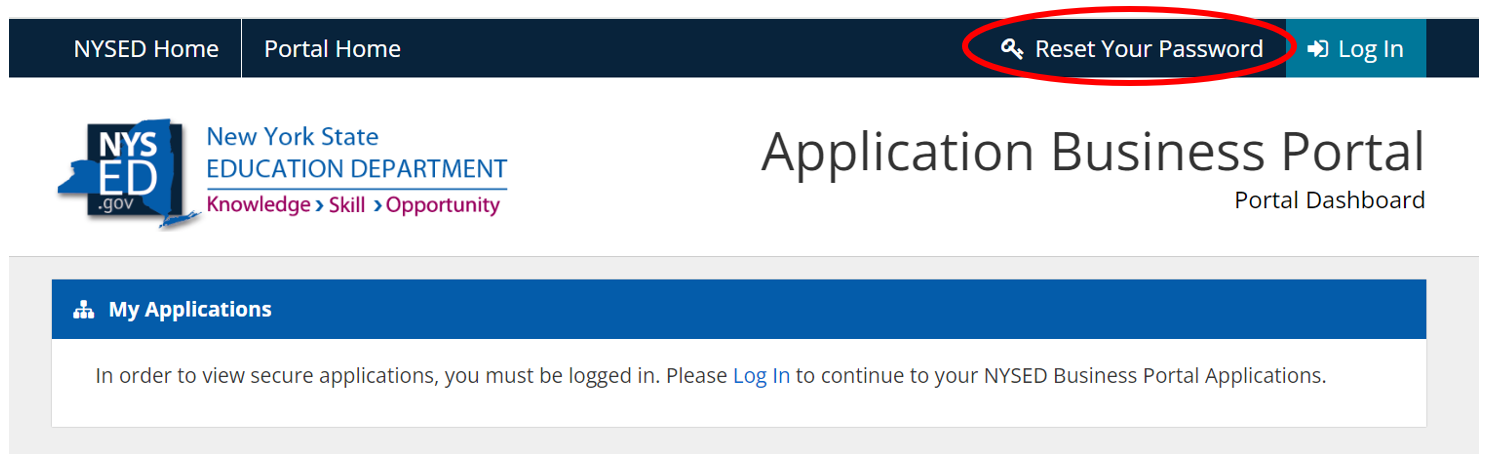
- Navigate to https://portal.nysed.gov/abp.
- Click Reset Your Password on the menu bar.
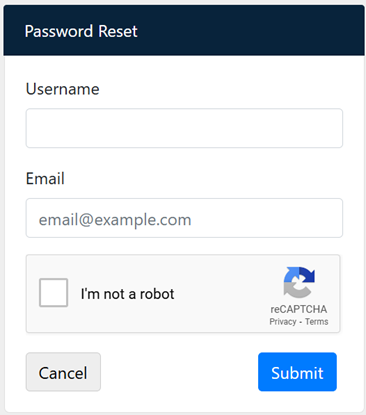
- Enter your Username – If you do not know it you can request your CEO or a Delegated Account Administrator at your school or institution to look it up for you.
- Enter your school or institution Email.
- Check “I’m not a robot”.
- Click Submit.
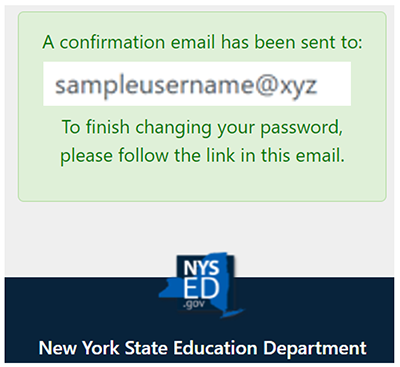
- You will receive a confirmation notification and an email will be sent from no-reply@nysed.gov. Please make sure this email address is added to your “safe list” in your email application. There will be a Reset Password link in it that you can click to set your password. (If you don't receive the email, contact your ITS email administrator for your school to be sure that the email was not blocked by the school's firewall. This is a frequently reported issue with many schools that the NYSED SEDDAS helpdesk cannot resolve.)
Example Email:
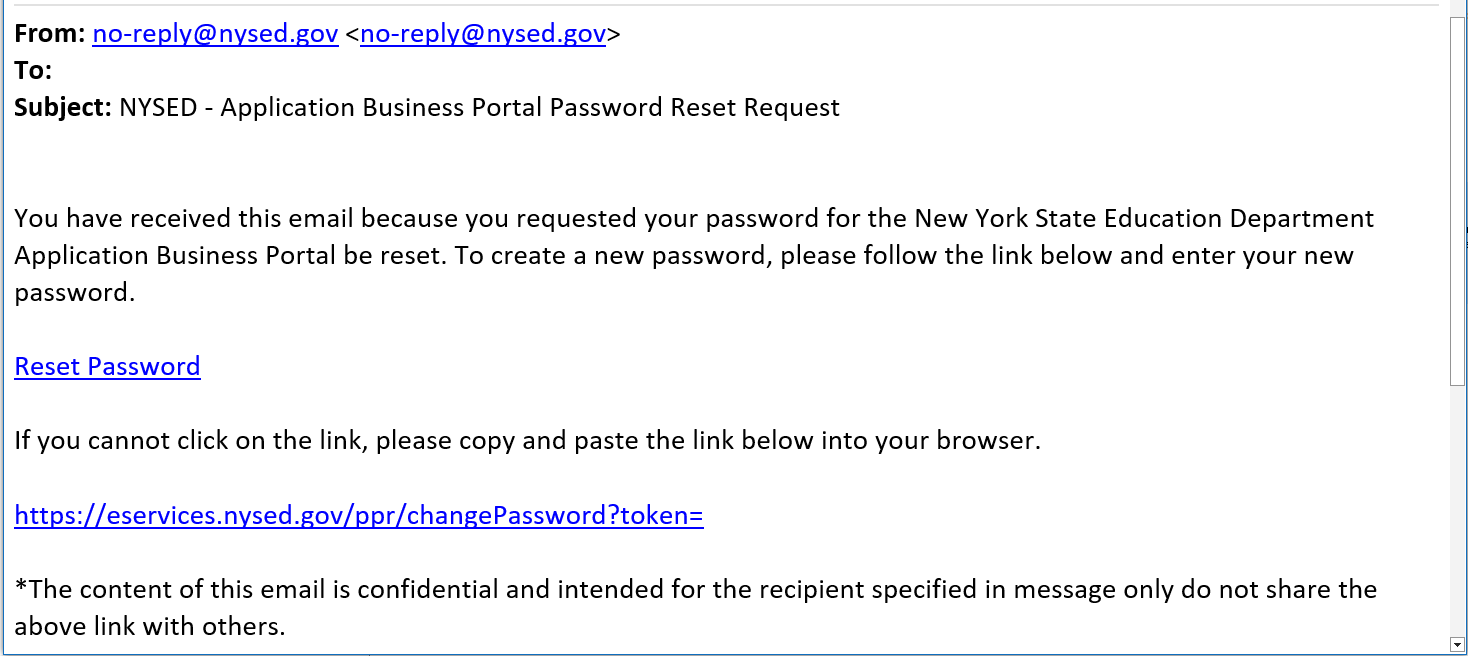
- Click on the Reset Password link in the email or copy and paste the token link in the email into a browser.
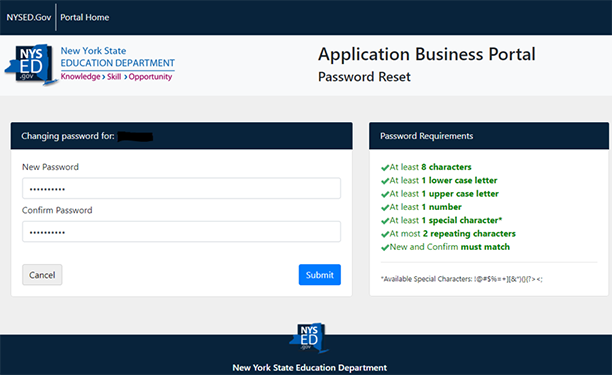
- A window will open where you will enter your new password twice.
- Password requirements are listed and will turn green as each is met. When finished entering the new password, click Submit.
- A message will appear indicating that your password has been successfully changed.
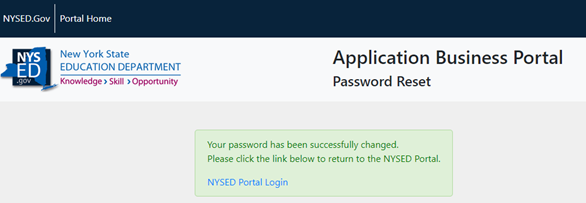
- Click the blue NYSED Portal Login link to log in.
- You will receive an email confirming the change has been made.